The Ops Playbook
You're outgrowing ShipStation, OrderCup, Shopify Shipping, Spreadsheets, Post‑its, Pen & Paper. Now your warehouse needs to catch up.
Moving to a WMS isn't just a software switch. It's an operational transformation. Here's the playbook to make it painless.
On this page
The uncomfortable truth
Let's be honest: this part is hard.
You didn't come to this page because everything's fine. You're here because your team is drowning in workarounds. You're printing labels in ShipStation, tracking inventory in spreadsheets, managing receiving with sticky notes, and somehow holding it all together with duct tape and tribal knowledge.
It works, until it doesn't.
The moment you cross 50 orders/day with 5-6x season spikes, the cracks become fractures. Mis-ships spike. Your best picker quits and takes half your process knowledge with them. A SKU count is off by 200 units and nobody knows when it happened.
ShipStation is an excellent shipping tool. But it was never designed to run your warehouse.
Moving to a WMS like Logentic solves these problems, but it also asks something of you: you have to change how your warehouse physically operates. And that's the part nobody talks about.
This page is that conversation.
Education
A WMS doesn't work in a ShipStation warehouse.
When brands come to us from ShipStation, they often expect Logentic to slot into their existing setup. But a WMS fundamentally changes the relationship between your software and your warehouse floor. Here's why:
MemoryLocations
Locations replace memory
In a ShipStation world, your team knows where things are. In a WMS world, every SKU lives at a scanned, named location: BIN-A3-02. The system directs pickers to it. You need to label every bin, shelf, and zone. It's a one-time setup cost that pays for itself within weeks.
ImprovisationProcesses
Processes replace improvisation
ShipStation warehouses develop organic workflows. A WMS replaces these with defined, repeatable processes: receive, putaway, pick, pack, ship. Each step is validated with a scan. This feels slower on Day 1. By Day 14, it's significantly faster and nearly error-free.
Gut feelData
Data replaces gut feel
ShipStation tells you what shipped. A WMS tells you how fast it was picked, who picked it, from which location, how long packing took, and where the bottleneck is. To capture this data, your team needs to follow the workflows. No skipping steps.
ChaosRoles
Roles replace chaos
In a ShipStation warehouse, everyone does everything. A WMS lets you assign roles and measure performance by function. This isn't about micromanaging. It's about knowing where your throughput is constrained so you can fix it.
Practical / tactical
The 7 operational changes you'll make.
And why each one matters.
01 of 07
Warehouse Layout & Bin Locations
What changes
Every storage location gets a unique identifier (zone-aisle-shelf-bin). You'll need to physically label your warehouse.
Why it matters
Without location accuracy, a WMS can't direct picks. You'll see immediate gains in pick speed and a dramatic reduction in "where is this?" time.
SOP included:Warehouse Mapping & Labeling Guide
02 of 07
Receiving & Putaway
What changes
Inbound inventory is no longer just "put it wherever there's space." Every PO is received against the system. Each item is scanned and assigned to a location.
Why it matters
This is where inventory accuracy begins. If receiving is sloppy, everything downstream (picks, counts, reorders) is wrong. Logentic's PO management ties directly to supplier tracking, forecasting, and financial reporting, so clean receiving feeds your entire operation.
SOP included:Inbound Receiving & Putaway Workflow
03 of 07
Pick Methodology
What changes
You'll move from "grab and go" to directed picking: single-order picks, batch picks, or wave picks depending on your volume and SKU profile. The system tells your team exactly what to pick and from where.
Why it matters
Directed picking eliminates decision-making at the shelf. Your newest hire picks as accurately as your best veteran. At scale, batch and wave picking can increase throughput up to 2-4x without adding headcount.
SOP included:Pick Methodology Selection Guide + Daily Pick Workflow
04 of 07
Pack & Ship Verification
What changes
Every order gets a verification scan at the pack station before a label prints. The system confirms the right items, right quantities, right order.
Why it matters
This is your last line of defense against mis-ships. Brands switching to scan-verified packing routinely report 90%+ reductions in shipping errors within the first month.
SOP included:Pack Station Setup & Verification Workflow
05 of 07
Inventory Management & Cycle Counts
What changes
You'll replace annual "shut down and count everything" inventory with rolling cycle counts: a small number of locations counted daily.
Why it matters
Cycle counts keep your inventory accurate in real time without disrupting operations. Combined with Logentic's batch and lot tracking, you'll catch discrepancies before they become stockouts.
SOP included:Cycle Count Schedule & Procedures
06 of 07
Returns Processing
What changes
Returns follow a defined workflow: receive, inspect, grade, restock or dispose. Each step is tracked in the system.
Why it matters
In a ShipStation setup, returns often become a black hole: a growing pile of "we'll deal with it later" that erodes inventory accuracy. A structured returns process keeps your counts clean and gets sellable inventory back on shelves faster.
SOP included:Returns Receiving & Disposition Workflow
07 of 07
Team Roles & Accountability
What changes
Instead of everyone doing everything, you'll assign warehouse roles: Receiver, Putaway, Picker, Packer, Shipper. Each person logs into the system and their work is tracked.
Why it matters
Role clarity gives you visibility into bottlenecks and top performers. When you know who's doing what, you can identify training needs, balance workloads, and recognize high performers. New hires can be productive on Day 1 because the system guides them through every step.
SOP included:Warehouse Roles & Responsibilities Matrix
What changes
Every storage location gets a unique identifier (zone-aisle-shelf-bin). You'll need to physically label your warehouse.
Why it matters
Without location accuracy, a WMS can't direct picks. You'll see immediate gains in pick speed and a dramatic reduction in "where is this?" time.
SOP included:Warehouse Mapping & Labeling Guide
What changes
Inbound inventory is no longer just "put it wherever there's space." Every PO is received against the system. Each item is scanned and assigned to a location.
Why it matters
This is where inventory accuracy begins. If receiving is sloppy, everything downstream (picks, counts, reorders) is wrong. Logentic's PO management ties directly to supplier tracking, forecasting, and financial reporting, so clean receiving feeds your entire operation.
SOP included:Inbound Receiving & Putaway Workflow
What changes
You'll move from "grab and go" to directed picking: single-order picks, batch picks, or wave picks depending on your volume and SKU profile. The system tells your team exactly what to pick and from where.
Why it matters
Directed picking eliminates decision-making at the shelf. Your newest hire picks as accurately as your best veteran. At scale, batch and wave picking can increase throughput up to 2-4x without adding headcount.
SOP included:Pick Methodology Selection Guide + Daily Pick Workflow
What changes
Every order gets a verification scan at the pack station before a label prints. The system confirms the right items, right quantities, right order.
Why it matters
This is your last line of defense against mis-ships. Brands switching to scan-verified packing routinely report 90%+ reductions in shipping errors within the first month.
SOP included:Pack Station Setup & Verification Workflow
What changes
You'll replace annual "shut down and count everything" inventory with rolling cycle counts: a small number of locations counted daily.
Why it matters
Cycle counts keep your inventory accurate in real time without disrupting operations. Combined with Logentic's batch and lot tracking, you'll catch discrepancies before they become stockouts.
SOP included:Cycle Count Schedule & Procedures
What changes
Returns follow a defined workflow: receive, inspect, grade, restock or dispose. Each step is tracked in the system.
Why it matters
In a ShipStation setup, returns often become a black hole: a growing pile of "we'll deal with it later" that erodes inventory accuracy. A structured returns process keeps your counts clean and gets sellable inventory back on shelves faster.
SOP included:Returns Receiving & Disposition Workflow
What changes
Instead of everyone doing everything, you'll assign warehouse roles: Receiver, Putaway, Picker, Packer, Shipper. Each person logs into the system and their work is tracked.
Why it matters
Role clarity gives you visibility into bottlenecks and top performers. When you know who's doing what, you can identify training needs, balance workloads, and recognize high performers. New hires can be productive on Day 1 because the system guides them through every step.
SOP included:Warehouse Roles & Responsibilities Matrix
Start today, no software needed
The DIY checklist: what you can fix this week.
You don't need to sign up for Logentic to start improving your warehouse. Here are 8 things your team can do right now with zero cost, zero software, and zero excuses.
0 of 8 done
Done all 8? You're already ahead of 90% of brands we talk to.
These DIY improvements will make your Logentic onboarding dramatically smoother: your warehouse will already have the physical foundation that a WMS needs to work. When you're ready for the software layer, everything you've done here maps directly to the setup process.
What you'll need
Recommended hardware & total budget.
A WMS is only as good as the hardware it runs on. Here's the exact equipment we recommend for a standard warehouse setup, all available on Amazon and Uline.
Picking
- iPad + Protective CaseRecommended for performance and app compatibilityAmazon$450 - $600
- Mobile Barcode ScannerBluetooth handheld, pairs with iPadAmazon$50 - $150
- Picking Bins (5 colors)1 color per mobile shelf for route pickingUline$10 - $25 /bin
Packing station
- Mini PC (Windows)Runs the packing verification workflowAmazon$250 - $400
- Desktop Barcode ScannerUSB wired, scan-to-verify at pack stationAmazon$50 - $100
- Thermal Label Printer4x6 shipping labels, no ink neededAmazon$150 - $300
Storage
- Chrome Mobile ShelvingAdjustable shelves, easy to reconfigureUline$150 - $300 /unit
- Storage BinsMultiple sizes for different SKU profilesUline$3 - $15 /bin
- Location LabelsBarcode labels for every bin locationUline$30 - $80 /roll
- Per packing station
- $1,000 - $1,800
- Per picking device
- $500 - $750
- Total estimated setup
- $2,000 - $5,000
Uline tip: Contact your Uline Account Manager for volume discounts on shelving, bins, and labels. Savings of 10-20% are common on bulk orders.
Color-coded bins: Order 5 different bin colors (1 per mobile shelf) for route picking. This lets pickers visually identify which shelf an order belongs to, dramatically faster than reading labels.
Note: Logentic is not affiliated with any of the products recommended above. These are simply what we've found works best across hundreds of warehouse setups.
The first 30 days
What the first 30 days actually look like.
- 1
Week 1
Prepare
- Audit your current warehouse layout
- Label all storage locations using the naming convention guide
- Export your SKU catalog and location data
- Assign team leads for each warehouse function
- 2
Week 2
Configure & Train
- Set up Logentic with your locations, SKUs, and workflows
- Connect your Shopify store and sales channels
- Run training sessions for each role (receiving, picking, packing)
- Process test orders through the full workflow
- 3
Week 3
Go Live (Supported)
- Run live orders through Logentic alongside your current process (parallel run)
- Daily check-ins with the Logentic ops team
- Identify and resolve friction points in real time
- Transition fully off ShipStation by end of week
- 4
Week 4
Optimize & Prove It
- Review pick speed, pack accuracy, and throughput data by team member
- Run your first full inventory cycle count and compare to expected counts
- Adjust bin locations based on velocity (fast movers to prime spots)
- Dial in automation rules for order routing and splitting
- Establish your ongoing cycle count cadence
- Share early wins with your team: the data builds buy-in faster than any pep talk
Resource library
Everything your team needs, ready to print, post, and use.
We built the SOPs so you don't have to. Download, customize with your company name, and put them to work on Day 1.
- PDFWarehouse Mapping & Labeling GuideHow to name, label, and organize your bin locations for WMS compatibilityDownload PDF
- PDFInbound Receiving SOPStep-by-step process for receiving POs, scanning items, and directed putawayDownload PDF
- PDFPick Methodology Decision TreeHow to choose between single, batch, and wave picking based on your order profileDownload PDF
- PDFPack Station Setup GuidePhysical station layout, scan-verify workflow, and common error scenariosDownload PDF
- PDFCycle Count ProceduresDaily count schedule templates, variance thresholds, and investigation workflowsDownload PDF
- PDFReturns Processing SOPReceive, inspect, grade, restock/dispose workflow with decision criteriaDownload PDF
- PDFKPI Dashboard TemplateTrack pick rate, pack accuracy, order cycle time, and inventory accuracy from Day 1Download PDF
Click a PDF to download it. Resources marked On request are emailed by our ops team.
Why we built this
We didn't just build software. We ran the warehouse.
Logentic wasn't born in a lab. It was forged inside Spaceful, our 3PL that processed over 1 million orders for 60+ Shopify brands from 2021 to 2024. We physically received shipments, labeled bins, picked orders, packed boxes, and dealt with the 4pm carrier cutoff panic, every single day.
We built the software because no off-the-shelf tool covered the gaps we saw in the market. We've managed warehouses across Quebec and Ontario, from 50 orders a day to 5,000+ during peak season. We've lived the 3am inventory reconciliation. We've trained new hires who quit after a week because there was no process to follow.
That operational pain is why Logentic exists. Every feature, every workflow, every SOP in this playbook comes from real warehouse floors, not whiteboards. When we tell you to label your bins a certain way, it's because we've tested six naming conventions and know which one breaks at scale.
- 1M+
- Orders fulfilled
- $250M+
- GMV processed
- 99.95%
- On-time, in-full
- 60+
- Brands served
Operators first
Our founding team ran fulfillment operations for nearly 4 years, building the software on our own warehouse floor as we went. The product is shaped by warehouse reality, not software assumptions.
Battle-tested SOPs
Every SOP in this playbook has been implemented in real warehouses with real teams. They're not templates. They're proven workflows refined across 10M+ order lines.
We still walk floors
Our ops consulting team visits client warehouses regularly. We don't just sell software. We help you physically reorganize, retrain, and re-launch your fulfillment.
Implementation support
Need hands-on help? We'll do it with you.
The resources above give you everything to self-serve. But some brands want someone in the trenches with them.
Tier 1
Self-Guided
Best for: Teams with existing ops leadership who just need the tools and structure.
- Access to the full SOP and resource library
- Logentic onboarding walkthrough with a dedicated success manager
- Async support via chat and email during your transition
- Access to the Logentic knowledge base and video tutorials
Tier 2
Guided Implementation
Best for: Brands shipping 200-1,000 orders/day that want expert guidance without a full engagement.
- Everything in Self-Guided, plus:
- 3x live video sessions with a Logentic ops consultant
- Custom warehouse mapping plan based on your facility photos and SKU data
- Pick methodology recommendation tailored to your order profile
- Priority support during your first 30 days
Tier 3
Full-Service Ops Consulting
Best for: High-growth brands (1,000+ orders/day) making a serious operational leap, or teams without a dedicated ops manager.
- Everything in Guided, plus:
- On-site or virtual warehouse audit with layout redesign recommendations
- Custom SOP development tailored to your specific products, team size, and facility
- Staff training sessions (live, role-specific, with Q&A)
- 60-day post-launch optimization engagement
- Dedicated Slack channel with the Logentic ops team
Add-On: Warehouse Design & Optimization
Moving to a new facility, or want to redesign your current one while you're making the switch? This pairs well with any tier.
Talk to our ops team- Facility layout analysis (zones, pick paths, station placement)
- Slotting optimization based on SKU velocity data
- Equipment and infrastructure recommendations
- Capacity planning for seasonal peaks
Customer stories: ONE BONE and RICARDO
Customer stories


“Logentic helps us orchestrate everything in our logistics—from suppliers and receiving to shipping and returns.”
Migrated fromShipStationSpreadsheets
- Annual shipping savings
- $197K+
- Annual shipping savings
- Savings on Canada-to-US shipping
- 50%
- Savings on Canada-to-US shipping
- Fewer mistakes: only 1 in 3,000 orders
- 90%
- Fewer mistakes: only 1 in 3,000 orders
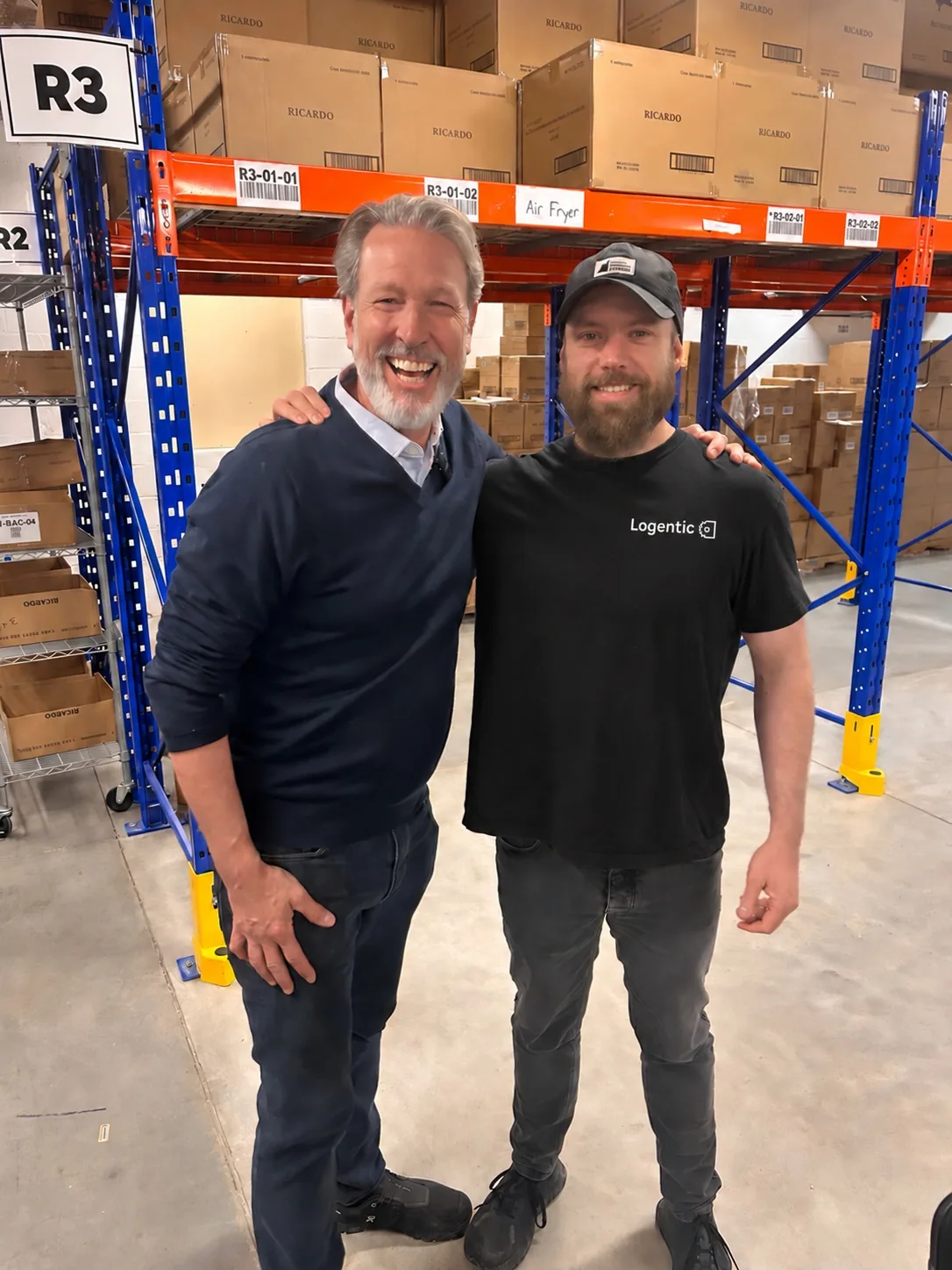

“There’s so much in here that it will take some of the load off—and at least we have everything in the platform.”
Migrated fromOutsourced 3PL
- Fulfillment brought back from a 3PL
- In-house
- Fulfillment brought back from a 3PL
- Connected to RICARDO’s ecommerce and retail
- Lightspeed
- Connected to RICARDO’s ecommerce and retail
- Bilingual support and in-person onboarding
- Local
- Bilingual support and in-person onboarding
Questions we hear from every ops team
Ready to make the switch?
Book a free discovery call
In 30 minutes, we'll audit your current workflow, identify quick wins, and build a custom transition plan for your warehouse. No commitment, no pitch deck. Just real ops talk.
Trusted by hundreds of fast-growing Canadian brands













Your warehouse is ready to grow. Let's make sure your operations are too.
Whether you're doing 200 orders a day or 5,000, the transition from a shipping tool to a real WMS is the single biggest operational upgrade you'll make. We've built the playbook, the SOPs, and the support system to make it happen without the chaos.